


windows11(pyhon3.12,cuda12.9)安装 llama-factory,解决"Torch not compiled with CUDA enabled"
本次使用的操作系统,以及环境配置
操作系统:windows11 25H2
CPU: Intel(R) Core(TM) Ultra 9 285H (2.90 GHz)
内存:32GB
GPU:RTX5070 8G显存
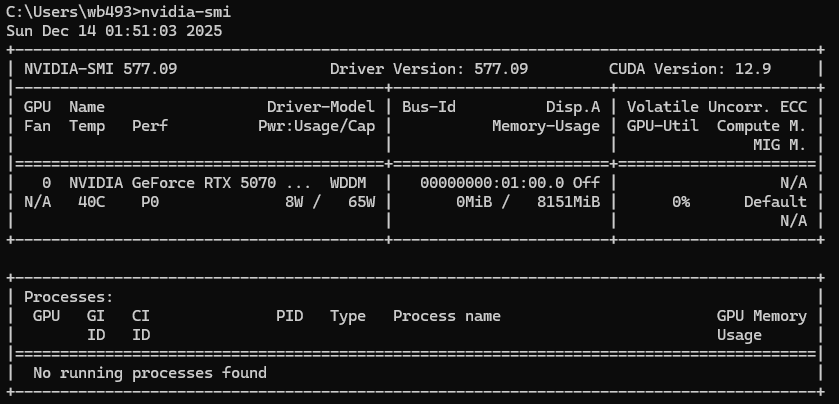
CUDA Version: 12.9
查看cuda版本
1、克隆 llama-factory 项目代码
git clone https://github.com/hiyouga/LLaMA-Factory.git
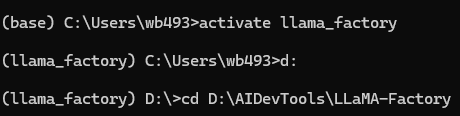
下载到本地目录:D:\AIDevTools\LLaMA-Factory
2、使用 anaconda 创建用于 LLaMa-Factory 的虚拟环境
conda create -n llama_factory python=3.12
activate llama_factory
进入到llama-factory项目根目录
3、安装依赖
pip install -e ".[torch,metrics]"
若当前python中已经安装了torch,或使用的云服务器已经安装了torch,参考以下命令
pip install -e “.[torch,metrics]” --no-build-isolation -i https://mirrors.tuna.tsinghua.edu.cn/pypi/web/simple/
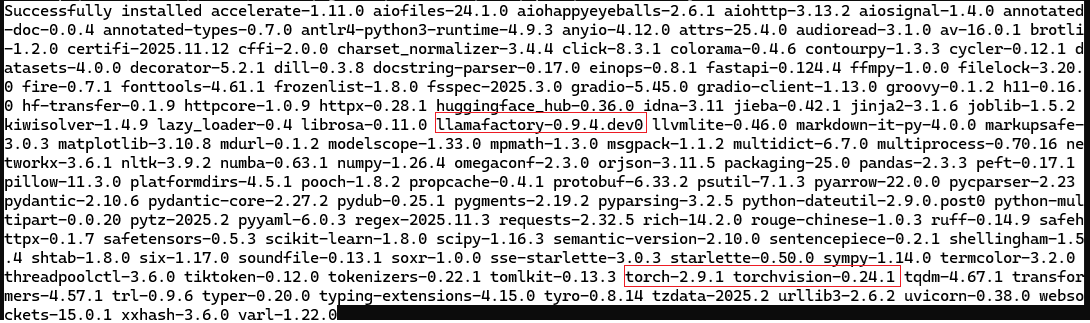
安装结果:
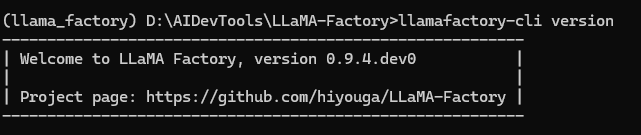
4、测试是否安装成功
5、开启pyhon,用以下命令做简单的正确性校验
import torch
torch.cuda.current_device()
torch.cuda.get_device_name(0)
torch.__version__

或
import torch
print(torch.cuda.is_available()) # 应返回 True
print(torch.cuda.current_device()) # 应返回 GPU 索引(如 0)
校验报错"Torch not compiled with CUDA enabled"。由前面安装的截图来看,可以看出此时torch是cpu版,需安装torch-gpu版
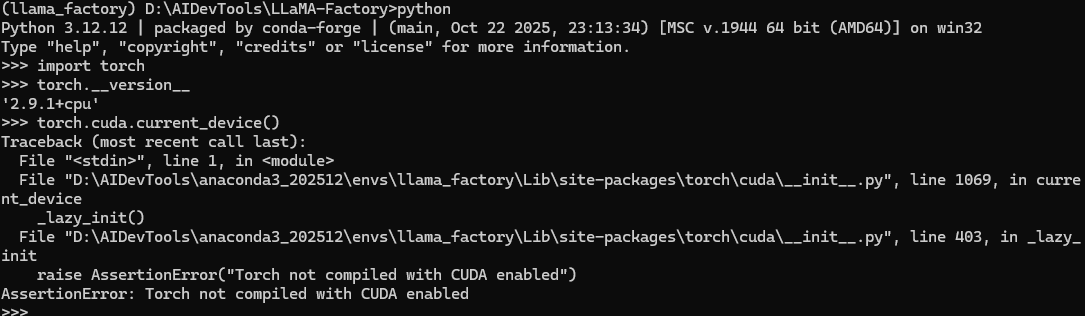
解决:
先卸载已经安装的版本
pip uninstall torch torchvision torchaudio
在官网Previous PyTorch Versions中查看适合当前cuda版本的
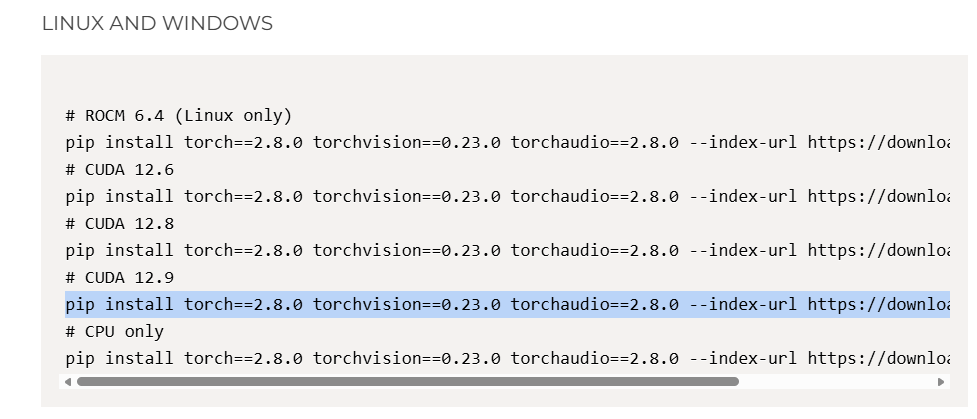
pip install torch==2.8.0 torchvision==0.23.0 torchaudio==2.8.0 --index-url https://download.pytorch.org/whl/cu129
或 pip install torch==2.8.0 torchvision==0.23.0 torchaudio==2.8.0 --index-url https://download.pytorch.org/whl/cu129 -i https://pypi.tuna.tsinghua.edu.cn/simple

此时安装的torch的版本是

再次验证:

若使用前面的指令下载太慢或安装不成功,可以手动下载,比如下载
torch-2.8.0+cu129-cp312-cp312-win_amd64.whl
torchvision-0.23.0+cu129-cp312-cp312-win_amd64.whl
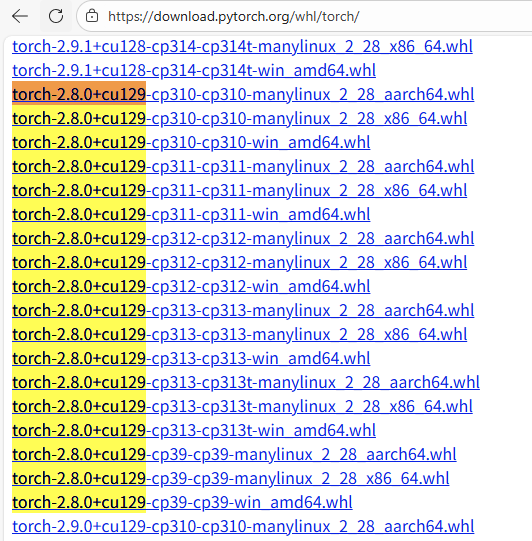
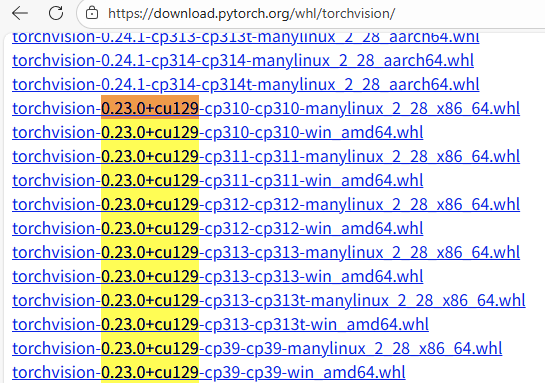
然后,安装指令
pip install "torch-2.8.0+cu129-cp312-cp312-win_amd64.whl"
pip install "torchvision-0.23.0+cu129-cp312-cp312-win_amd64.whl"
6、启动webui
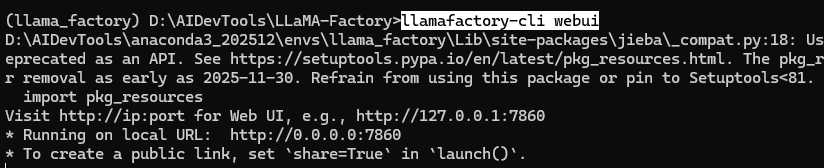
浏览器访问:http://127.0.0.1:7860
posted on 2025-12-14 03:11 wenbin_ouyang 阅读(34) 评论(0) 收藏 举报

 浙公网安备 33010602011771号