

Vscode设置自动生成vue页面代码块
1.ctrl+shift+p
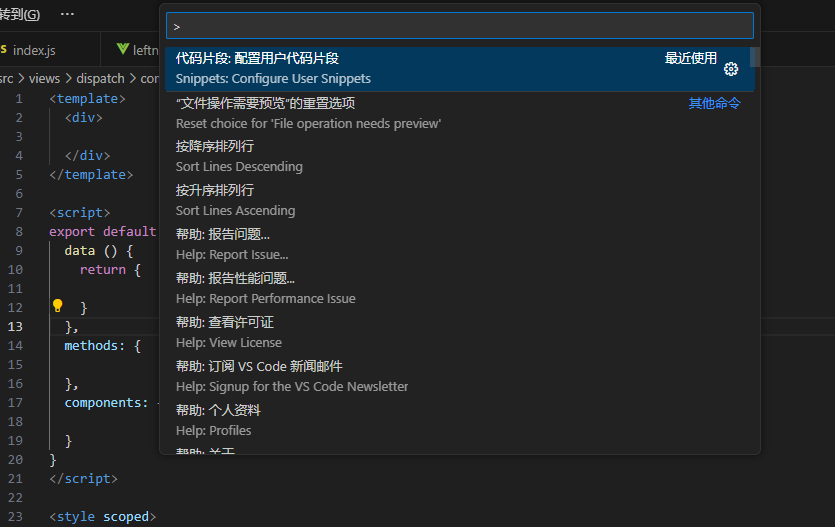
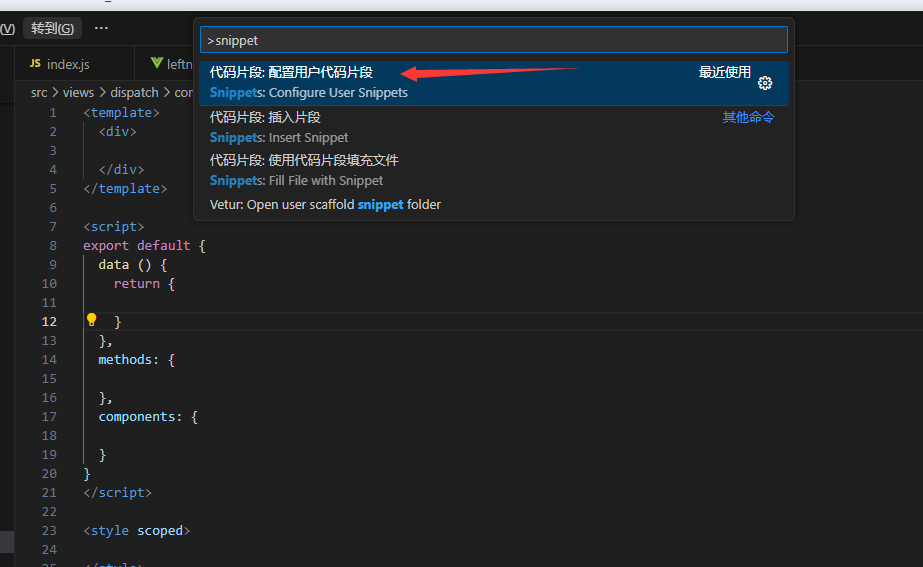
2. 输入snippet -> 首选项:配置用户代码片段
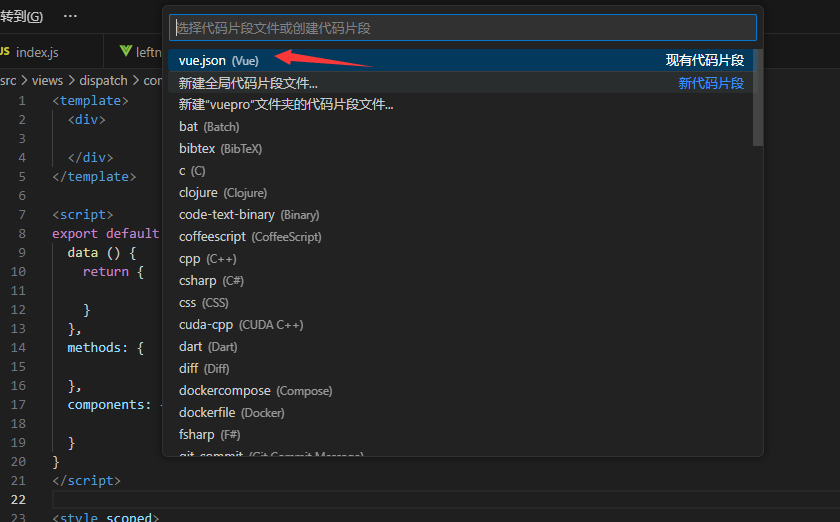
3. 输入vue ,选择vue.json(vue)
4.输入下面代码:
"Print to console": {
"prefix": "vue",
"body": [
"<template>",
" <div>\n",
" </div>",
"</template>\n",
"<script>",
"export default {",
" data () {",
" return {\n",
" }",
" },",
" methods: {\n",
" },",
" components: {\n",
" }",
"}",
"</script>\n",
"<style scoped>\n",
"</style>",
"$2"
],
"description": "创建一个自定义的vue组件代码块"
}
补充:
如果以上内容出现红色波浪纹或报错,切换为以下内容
{
"Vue 页面模板": {
"prefix": "vue",
"body": [
"<template>",
" <div>",
" </div>",
"</template>",
"",
"<script>",
"export default {",
" data () {",
" return {",
" }",
" },",
" methods: {",
" },",
" components: {",
" }",
"}",
"</script>",
"",
"<style scoped>",
"</style>",
"$0"
],
"description": "快速生成 vue 页面模板"
}
}
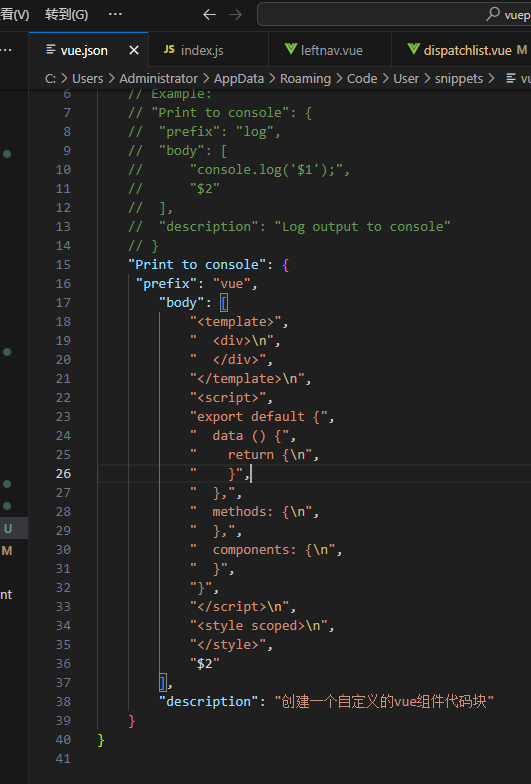
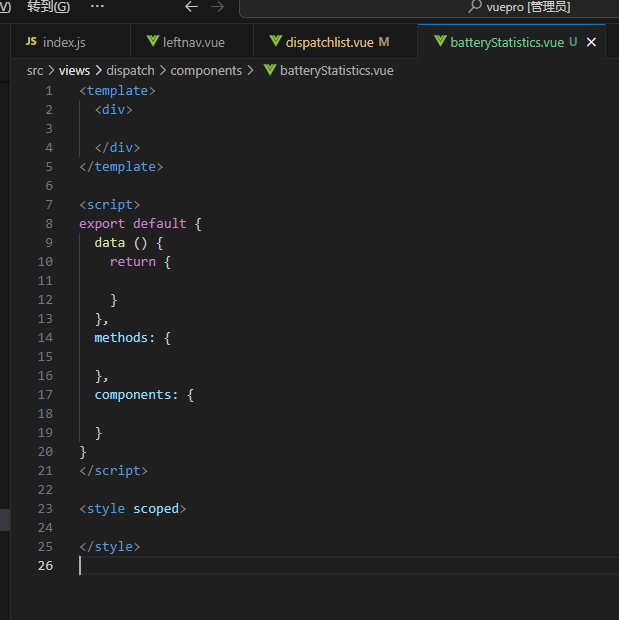
5.测试,输入vue,然后按Tab键即可出现页面代码块模板
本文来自博客园,作者:danmo_xx,转载请注明原文链接:https://chuna2.787528.xyz/xx321/p/18123287

 浙公网安备 33010602011771号