


CSS学习-笔记
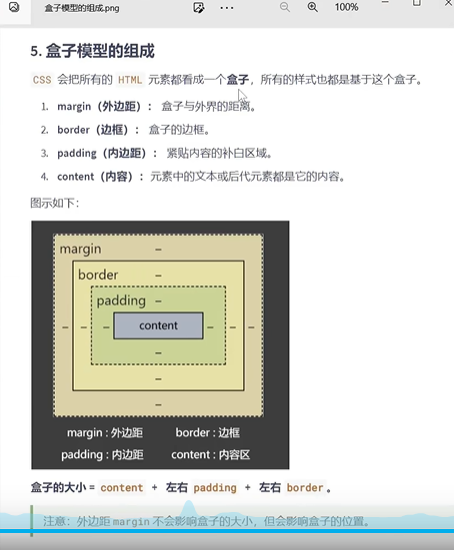
margin:边距
padding:填充
top:顶部
bottom:底部
left:左边
position:位置
absolute:绝对
writing:写作
mode;模式
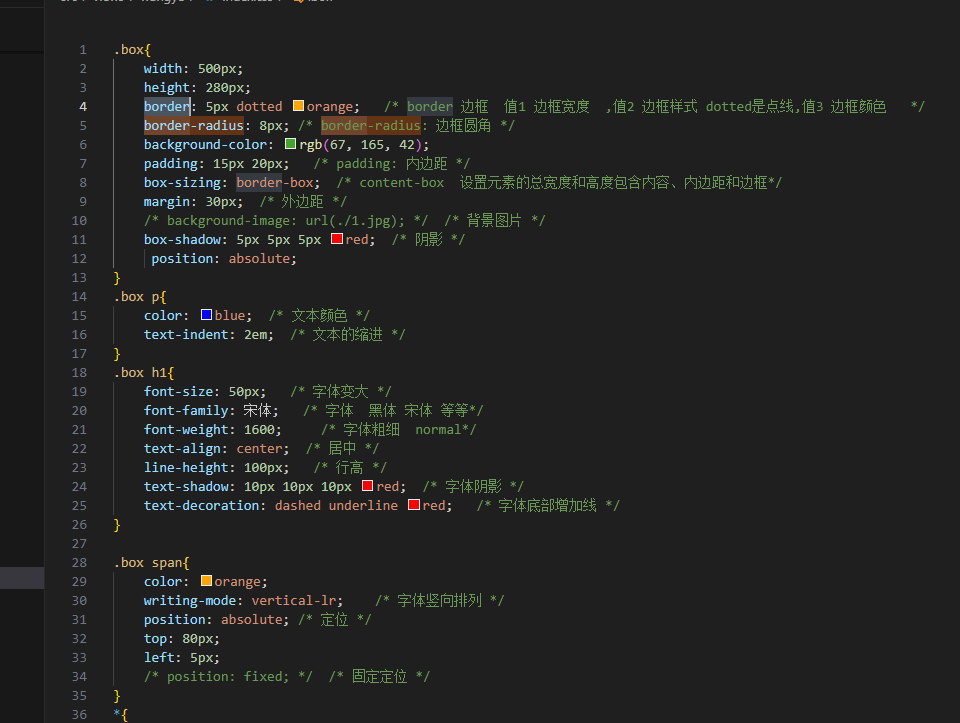
decoration:装饰
shadow:阴影
line:线
align:对齐
font-family:字体系列
indent:缩进
sizing:尺寸调整
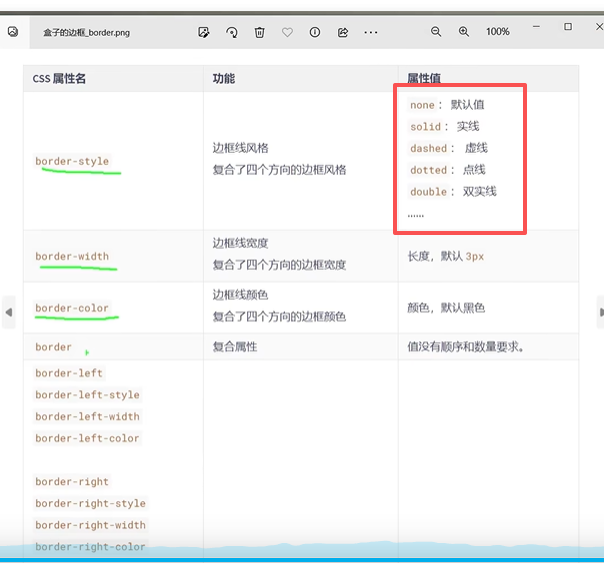
border:边界
radius:半径
display : 陈列方式,显示


<!DOCTYPE html>
<html lang="en">
<head>
<meta charset="UTF-8">
<meta name="viewport" content="width=device-width, initial-scale=1.0">
<title>Document</title>
</head>
<style>
/* 格式化代码的快捷键 Shift + Alt + F */
/* ul>li*10 快捷方式 */
body {
/* 外边距 */
margin: 0px;
/* 内边距 */
padding: 0px;
}
/* ul 标签样式初始化 */
/* 取消前面的默认圆点 */
ul {
list-style: none;
}
/* 去掉下划线 */
a {
text-decoration: none;
}
/*ID 选择器*/
#Id1 {
height: 100px;
width: 100px;
background-color: orange;
/* 1像素 黑色 实线边框 */
border: 1px solid black;
}
/*类选择器 */
.box {
/*外边距 水平居中 */
margin: 0 auto;
/*字体水平居中 */
text-align: center;
/*行高 */
line-height: 40px;
/* 边框 solid 实线 dashed 虚线 */
border: 10px dashed rgb(42, 18, 179);
/*内容溢出的解决方式 */
overflow: hidden;
/*陈列方式 ,inline-block 变成行内块 陈列,inline 变成行内元素 */
display: inline-block;
/* 取消a标签之间的空隙 字体大小*/
font-size: 0px;
/* 行内块级元素 */
display: inline-block;
text-indent: 2em;
/* background-image: url(../hezi/img/jiantou.png); */
/* 背景图片不平铺 */
/* background-repeat: no-repeat; */
/* background-position: 255px 8px; */
background: url(../hezi/img/jiantou.png) no-repeat 255px 8px;
/* 边角设置 为圆角 */
border-radius: 30px;
}
/* 图片位置 移动 */
.tab span i.ic2 {
background-position: -34px -6px;
}
/* 伪类选择器 */
/* 清除左右浮动 */
.box::after {
content: '';
/* 默认值 */
display: block;
/* 转成 块元素 */
clear: both;
/* 清仓左右浮动 */
}
/* 左浮动 */
.leftclear {
float: left;
}
/* 右浮动 */
.rightfix {
float: right;
}
</style>
<body>
<div class="box"></div>
<div id="Id1"></div>
</body>
</html>

 浙公网安备 33010602011771号