

需求:多屏场景下,设置同一系列屏保,屏保中间组件字体颜色需要动态读取背后壁纸主色亮度,根据背后亮度动态设置字体颜色
偏亮的=黑色,偏暗的=白色
1、取色
读取亮度需要先对bitmap解码,通过 Color.colorToHSV 方法读取亮度值


private fun generate(newMap: Bitmap): FloatArray {
        val hsvColorArray = FloatArray(3)
        Palette.from(newMap).clearFilters().generate().apply {
            val dominantColor = getDominantColor(Color.BLACK)
            Color.colorToHSV(dominantColor, hsvColorArray)
        }
        return hsvColorArray
    }
需要注意的是,如果是黑白纯色的bitmap,Palette中的mSwatches是空的
public Palette generate() {
            TimingLogger logger = null;
            List<Swatch> swatches;
            if (this.mBitmap != null) {
                Bitmap bitmap = this.scaleBitmapDown(this.mBitmap);
                if (logger != null) {
                    logger.addSplit("Processed Bitmap");
                }

                Rect region = this.mRegion;
                if (bitmap != this.mBitmap && region != null) {
                    double scale = (double)bitmap.getWidth() / (double)this.mBitmap.getWidth();
                    region.left = (int)Math.floor((double)region.left * scale);
                    region.top = (int)Math.floor((double)region.top * scale);
                    region.right = Math.min((int)Math.ceil((double)region.right * scale), bitmap.getWidth());
                    region.bottom = Math.min((int)Math.ceil((double)region.bottom * scale), bitmap.getHeight());
                }

                ColorCutQuantizer quantizer = new ColorCutQuantizer(this.getPixelsFromBitmap(bitmap), this.mMaxColors, this.mFilters.isEmpty() ? null : (Filter[])this.mFilters.toArray(new Filter[this.mFilters.size()]));
                if (bitmap != this.mBitmap) {
                    bitmap.recycle();
                }

                swatches = quantizer.getQuantizedColors();
                if (logger != null) {
                    logger.addSplit("Color quantization completed");
                }
            } else {
                if (this.mSwatches == null) {
                    throw new AssertionError();
                }

                swatches = this.mSwatches;
            }

            Palette p = new Palette(swatches, this.mTargets);
            p.generate();
            if (logger != null) {
                logger.addSplit("Created Palette");
                logger.dumpToLog();
            }

            return p;
        }
源码中的swatches是通过ColorCutQuantizer类的getQuantizedColors方法获取的,可以看到swatches = quantizer.getQuantizedColors();
    /**
     * Constructor.
     *
     * @param pixels histogram representing an image's pixel data
     * @param maxColors The maximum number of colors that should be in the result palette.
     * @param filters Set of filters to use in the quantization stage
     */
    @SuppressWarnings("NullAway") // mTimingLogger initialization and access guarded by LOG_TIMINGS.
    ColorCutQuantizer(final int[] pixels, final int maxColors, final Palette.Filter[] filters) {
        mTimingLogger = LOG_TIMINGS ? new TimingLogger(LOG_TAG, "Creation") : null;
        mFilters = filters;

        final int[] hist = mHistogram = new int[1 << (QUANTIZE_WORD_WIDTH * 3)];
        for (int i = 0; i < pixels.length; i++) {
            final int quantizedColor = quantizeFromRgb888(pixels[i]);
            // Now update the pixel value to the quantized value
            pixels[i] = quantizedColor;
            // And update the histogram
            hist[quantizedColor]++;
        }

        if (LOG_TIMINGS) {
            mTimingLogger.addSplit("Histogram created");
        }

        // Now let's count the number of distinct colors
        int distinctColorCount = 0;
        for (int color = 0; color < hist.length; color++) {
            if (hist[color] > 0 && shouldIgnoreColor(color)) {
                // If we should ignore the color, set the population to 0
                hist[color] = 0;
            }
            if (hist[color] > 0) {
                // If the color has population, increase the distinct color count
                distinctColorCount++;
            }
        }

        if (LOG_TIMINGS) {
            mTimingLogger.addSplit("Filtered colors and distinct colors counted");
        }

        // Now lets go through create an array consisting of only distinct colors
        final int[] colors = mColors = new int[distinctColorCount];
        int distinctColorIndex = 0;
        for (int color = 0; color < hist.length; color++) {
            if (hist[color] > 0) {
                colors[distinctColorIndex++] = color;
            }
        }

        if (LOG_TIMINGS) {
            mTimingLogger.addSplit("Distinct colors copied into array");
        }

        if (distinctColorCount <= maxColors) {
            // The image has fewer colors than the maximum requested, so just return the colors
            mQuantizedColors = new ArrayList<>();
            for (int color : colors) {
                mQuantizedColors.add(new Palette.Swatch(approximateToRgb888(color), hist[color]));
            }

            if (LOG_TIMINGS) {
                mTimingLogger.addSplit("Too few colors present. Copied to Swatches");
                mTimingLogger.dumpToLog();
            }
        } else {
            // We need use quantization to reduce the number of colors
            mQuantizedColors = quantizePixels(maxColors);

            if (LOG_TIMINGS) {
                mTimingLogger.addSplit("Quantized colors computed");
                mTimingLogger.dumpToLog();
            }
        }
    }
上面方法在mQuantizedColors添加swatche时存在过滤操作 shouldIgnoreColor
private boolean shouldIgnoreColor(int rgb, float[] hsl) {
        if (mFilters != null && mFilters.length > 0) {
            for (int i = 0, count = mFilters.length; i < count; i++) {
                if (!mFilters[i].isAllowed(rgb, hsl)) {
                    return true;
                }
            }
        }
        return false;
    }
而最终调用的是Palette中的DEFAULT_FILTER,而这个filter在Palette.from方法中就被添加到mFilters
public Builder(@NonNull Bitmap bitmap) {
            if (bitmap != null && !bitmap.isRecycled()) {
                this.mFilters.add(Palette.DEFAULT_FILTER);
                this.mBitmap = bitmap;
                this.mSwatches = null;
                this.mTargets.add(Target.LIGHT_VIBRANT);
                this.mTargets.add(Target.VIBRANT);
                this.mTargets.add(Target.DARK_VIBRANT);
                this.mTargets.add(Target.LIGHT_MUTED);
                this.mTargets.add(Target.MUTED);
                this.mTargets.add(Target.DARK_MUTED);
            } else {
                throw new IllegalArgumentException("Bitmap is not valid");
            }
        }
不过类中有提供mFilters.clear()操作,需要在build时手动调用一下clearFilters方法
如果没调用这个方法,黑白纯色会导致getDominantColor主色返回0,导致取色不准
随后直接根据亮度值返回对应颜色
// hsvColorArray[2]
private fun getColor(num: Float = 0f) = if (num >= 0.7) {
        CommonUtils.COLOR_BLACK
    } else {
        CommonUtils.COLOR_WHITE
    }
2、裁剪
取色的bitmap是字体背后对应的区域,而不是整个壁纸,所以需要进行计算裁剪
private fun createRectBitmap(bitmap: Bitmap, isDim: Boolean): Bitmap {
        return if (isDim) {
            Bitmap.createBitmap(
                bitmap,
                dimWidth / 2 - rectWidth / 2, dimHeight / 2 - rectHeight / 2,
                rectWidth, rectHeight
            )
        } else {
            Bitmap.createBitmap(
                bitmap, mWidth / 2 - rectWidth / 2, rectTopMargin, rectWidth, rectHeight
            )
        }
    }
不同屏幕尺寸不一样,布局不一样,所以对应要裁剪的区域也不一样,这里需要统一适配
bitmap建议使用 Glide 加载,效果更高
对bitmap进行裁剪取色都属于耗时操作,需要放在子线程处理,缓存使用map存放,key使用屏幕的displayId
3、预加载
每个系列好几张图片,每个DHU可能有多个屏幕(比如CSD屏存在主副驾屏),加上DIM屏属于QNX系统,不太方便实现该功能,所以也需要CSD去实现同步
基于上面要求,缓存量很大,所以需要在初始化时使用多线程处理
object ColorPickManager {

    private const val TAG = "ColorPickManager"
    private val suitMap = hashMapOf<Int, MutableList<String>>()

    private val suitIdObserver = Observer<Int> {
        loadSuitData(it)
    }

    @JvmStatic
    fun init() {
        Log.d(TAG, "$TAG init ${VehicleManager.getVehicleType()}")
        initSuitData()
        LocalResourceManager.observeUsageSuitId(suitIdObserver)
    }

    private fun initSuitData() {
        val list = mutableListOf<DisplayParameter>()
        if (VehicleManager.isA()) {
            list.add(DisplayParameter.DISPLAY_PSD)
            list.add(DisplayParameter.DISPLAY_CSD)
            list.add(DisplayParameter.DISPLAY_TV)
            list.add(DisplayParameter.DISPLAY_DIM)
        } else if (VehicleManager.isB()) {
            list.add(DisplayParameter.DISPLAY_CONSOLE)
            list.add(DisplayParameter.DISPLAY_CSD)
            list.add(DisplayParameter.DISPLAY_TV)
            list.add(DisplayParameter.DISPLAY_DIM)
        } else {
            Log.w(TAG, "initSuitData 不支持的车型 ${VehicleManager.getVehicleType()}")
        }
        list.forEach {
            Log.d(TAG, "initSuitData ${it.displayName} suitMap[${it.displayId}]")
            suitMap[it.displayId] = mutableListOf()
        }
    }

    /** 当前屏保套系 */
    private fun loadSuitData(suitId: Int) {
        Log.d(TAG, "loadSuitData suitId=$suitId")
        MainScope().launch(Dispatchers.IO) {
            LocalResourceManager.getSuitsWithPicturesById(suitId)?.apply {
                Log.d(TAG, "loadSuitData suitMapSize=${suitMap.size}")
                suitMap.keys.forEach { addCacheData(it, this) }
            }
        }
    }

    private fun addCacheData(displayId: Int, suitsWithPictures: SuitWithPictures) {
        val suit = suitsWithPictures.suit
        val pictures = suitsWithPictures.pictures
        suitMap[displayId]?.clear()
        val pathList = mutableListOf<String>()
        if (ResourceLoadManager.isDynamic(suit.type)) {
            pathList.add(suit.path)
        } else if (ResourceLoadManager.TYPE_CUSTOM != suit.type) {
            pictures.forEach { pathList.add(convertPath(displayId, it.path)) }
        } else {
            pictures.forEach {
                val path = when (displayId) {
                    DisplayParameter.DISPLAY_TV.displayId -> {
                        ResourceLoadManager.convertPath2Tv(it.path)
                    }

                    DisplayParameter.DISPLAY_PSD.displayId -> {
                        ResourceLoadManager.convertPath2Psd(it.path)
                    }

                    else -> ResourceLoadManager.convertPath2Csd(it.path)
                }
                pathList.add(convertPath(displayId, path))
            }
        }
        pathList.forEach {
            Log.d(TAG, "addCacheData suitMap[$displayId] add $it")
        }
        suitMap[displayId]?.addAll(pathList)
        loadScreensaversFontColorData(displayId)
        loadAmbientLightData(displayId)
    }

    private fun convertPath(displayId: Int, path: String): String {
        return if (displayId == DisplayParameter.DISPLAY_DIM.displayId) {
            ResourceLoadManager.convertPath2Dim(path)
        } else path
    }

    @JvmStatic
    fun syncScreensaversColor(displayId: Int, index: Int) {
        AmbientLightColorPickManager.setAmbientLight(displayId, index)
        FontColorPickManager.syncScreensaversFontColor(displayId, index)
    }

    private fun loadScreensaversFontColorData(displayId: Int) {
        val list = suitMap[displayId]
        if (list.isNullOrEmpty()) {
            Log.w(TAG, "loadScreensaversFontColorData suitMap[$displayId] value is null")
            return
        }
        FontColorPickManager.loadScreensaversFontColorData(displayId, list)
    }

}
针对不同车型缓存对应屏幕,监听屏保变化,如果中途切换需要动态更新
4、同步
缓存处理好后,屏保通过计时器轮播,每次轮播从缓存中读取对应的颜色值同步到字体颜色,实现字体动态跟随屏保壁纸切换
5、多屏适配
不同屏幕尺寸不一样,动态获取背后矩形区域不利于提前缓存处理,因为需要布局加载完后才能拿到坐标宽高,而等进入屏保后在获取会导致字体默认显示颜色跟实际取色不一致,进入屏保导致字体颜色切换过程,如果提前缓存便没有这个过程
实现方案:拿到bitmap后拉伸到基准宽高(设计稿给的宽高),然后参考设计稿裁剪矩形区域,这样无论什么尺寸的屏幕,裁剪的区域都一样,颜色也一样,同步屏保时就可以保证没有偏差
优化:图片过大导致内存占比耗时过高等,将所有基准降低三倍处理(不能太低,否则主色会有偏差,导致颜色不对
6、多屏预览
预览页要求可以预览所有屏幕的屏保,也包含组件字体颜色的预览,并且主副驾屏幕可以同时进入详情(同一个DHU)
import android.graphics.Bitmap
import android.graphics.Color
import android.util.Log
import androidx.core.graphics.scale
import androidx.palette.graphics.Palette
import com.blankj.utilcode.util.GsonUtils
import com.bumptech.glide.request.target.Target
import com.jeremyliao.liveeventbus.LiveEventBus
import java.util.concurrent.ConcurrentHashMap
import java.util.concurrent.CopyOnWriteArrayList


object FontColorPickManager {

    private const val TAG = "FontColorPickManager"
    private const val PREVIEW_BASE_DISPLAY_ID = 1000
    private const val SCALE_NUM = 3

    private val maps = ConcurrentHashMap<String, CopyOnWriteArrayList<FontColorBean>>()

    /**
     * 3200 * 2000 得机型
     * 以下都以前排屏为基准,无论其它什么显示屏,都缩放至统一大小,进行主色掉取值,保证前后排,其它显示器上色调完全一致.
     */
    private const val WIDTH = 3200 / SCALE_NUM
    private const val HEIGHT = 2000 / SCALE_NUM
    private const val DIM_WIDTH = 2560 / SCALE_NUM
    private const val DIM_HEIGHT = 538 / SCALE_NUM

    private const val RECT_WIDTH = 500 / SCALE_NUM
    private const val RECT_HEIGHT = 280 / SCALE_NUM
    private const val RECT_TOP_MARGIN = 388 / SCALE_NUM

    @JvmStatic
    fun syncScreensaversFontColor(displayId: Int, index: Int) {
        val key = "$displayId"
        syncFontColor(key, index, CommonUtils.SCREEN_SYNC_FONT_COLOR)
    }

    fun syncDimFontColor(index: Int) {
        val dimKey = DisplayParameter.DISPLAY_DIM.displayId.toString()
        val list = maps[dimKey]
        if (list.isNullOrEmpty()) {
            Log.w(TAG, "key=$dimKey | syncDimFontColor list is null")
            return
        }
        if (index < 0 || index >= list.size) {
            Log.w(TAG, "key=$dimKey | syncDimFontColor 索引异常")
            return
        }
        val color = list[index].color
        MultiScreenSyncManager.setDimFontColor(color)
    }

    @JvmStatic
    fun syncPreviewFontColor(displayId: Int, index: Int) {
        ScreenPreviewType.values().forEach {
            val key = getPreviewKey(displayId, it)
            syncFontColor(key, index, getPreviewObserverId(key))
        }
    }

    /**
     * 每一个套系id 对应一组图片,每一组图片就是一套切换图,动态屏保一个视频, 主副驾多了一个displayId
     * 每个显示屏 对应一套屏保,通过切换的索引去定位当前播放到哪一张了
     */
    private fun syncFontColor(displayId: String, index: Int, key: String) {
        val list = maps[displayId]
        if (list.isNullOrEmpty()) {
            Log.w(TAG, "key=$displayId | syncFontColor list is null")
            return
        }
        if (index < 0 || index >= list.size) {
            Log.w(TAG, "key=$displayId | syncFontColor 索引异常")
            return
        }

        val color = list[index].color
        log(displayId, "syncFontColor post key=$key,color=$color index = $index")
        LiveEventBus.get<String>(key).post(color)
    }

    @JvmStatic
    fun loadScreensaversFontColorData(displayId: Int, pictures: List<String>) {
        val key = "$displayId"
        loadData(key, pictures) {
            syncScreensaversFontColor(displayId, MultiScreenSyncManager.getIndex())
            syncDimFontColor(MultiScreenSyncManager.getIndex())
        }

    }

    /**
     * 不同于屏保,这个displayId 只作为变量,配合屏幕类型, 小窗口预览类型(screen)
     * 比如List<String> dimpaths , csdpaths  7张原图 -> 对应7张dim 图,7张csd图 有不同的屏幕窗口预览图.
     */
    @JvmStatic
    fun loadPreviewFontColorData(displayId: Int, screen: ScreenPreviewType, pictures: List<Any>) {
        val key = getPreviewKey(displayId, screen)
        loadData(key, pictures) {
            //最终更新得不一定是0号位.
            // syncFontColor(key, 0, getPreviewObserverId(key))
        }
    }

    private fun loadData(key: String, pictures: List<Any>, callBack: () -> Unit) {
        if (pictures.isEmpty()) {
            Log.w(TAG, "key=$key | pictures is empty")
            return
        }
        if (maps.containsKey(key)) {
            maps[key]?.clear()
        } else {
            maps[key] = CopyOnWriteArrayList<FontColorBean>()
        }
        val list = mutableListOf<FontColorBean>()
        val isDim =
            key.contains(ScreenPreviewType.DIM.key) || key == DisplayParameter.DISPLAY_DIM.displayId.toString()
        for (picture in pictures) {
            val color = createFontColor(isDim, key, picture)
            list.add(color)
        }
        maps[key]?.addAll(list)
        callBack.invoke()
    }

    private fun createFontColor(
        isDim: Boolean,
        key: String,
        obj: Any,
        positionInfo: PositionInfo? = null
    ): FontColorBean {
        var bean = FontColorBean(getColor())
        runCatching {
            val bitmap = createSourceBitmap(obj, isDim, positionInfo)
            val rectMap = createRectBitmap(bitmap, isDim)
            val hsvColorArray = generate(rectMap)
            val result = getColor(hsvColorArray[2])
            log(key, "createFontColor Brightness=${hsvColorArray[2]},result=$result  path = $obj")
            bean = FontColorBean(result)
        }.getOrElse {
            Log.e(TAG, "key=$key | createFontColor ${GsonUtils.toJson(obj)}\n$it")
        }
        return bean
    }

    /**
     * test creteFontColor
     * 请子线程中调用,否则会异常
     */
//     fun testCreateFontColor(
//        isDim: Boolean,
//        obj: Any,
//        positionInfo: PositionInfo? = null
//    ): FontColorBean {
//        var bean = FontColorBean(getColor())
//        runCatching {
//            val bitmap = createSourceBitmap(obj, isDim, positionInfo)
//            val rectMap = createRectBitmap(bitmap, isDim)
//            val hsvColorArray = generate(rectMap)
//            val result = getColor(hsvColorArray[2])
//            log("test_createFontColor", "createFontColor Brightness=${hsvColorArray[2]},result=$result path = $obj")
//            bean = FontColorBean(result)
//        }.getOrElse {
//            ex -> Log.e(TAG, "test_createFontColor 异常了 = $ex")
//        }
//        return bean
//    }


    private fun getColor(num: Float = 0f) = if (num >= 0.7) {
        CommonUtils.COLOR_BLACK
    } else {
        CommonUtils.COLOR_WHITE
    }

    @JvmStatic
    fun updateFontColor(
        displayId: Int,
        screen: ScreenPreviewType,
        obj: Any,
        index: Int,
        positionInfo: PositionInfo? = null
    ) {
        if (obj is PictureData) {
            val key = getPreviewKey(displayId, screen)
            val isDim = key.contains(ScreenPreviewType.DIM.key)
            val bean = createFontColor(isDim, key, obj, positionInfo)
            maps[key]?.let {
                if (index < 0 || index >= it.size) {
                    Log.w(TAG, "updateFontColor invalid index $index size ${it.size}")
                    return
                }
                it[index]?.let { fontColorBean ->
                    fontColorBean.color = bean.color
                    syncFontColor(key, index, getPreviewObserverId(key))
                }
            }
        }
    }

    @JvmStatic
    fun createFontColor(bitmap: Bitmap, x: Int, y: Int, width: Int, height: Int): String {
        var color = getColor()
        runCatching {
            val rectMap = Bitmap.createBitmap(bitmap, x, y, width, height)
            val hsvColorArray = generate(rectMap)
            val result = getColor(hsvColorArray[2])
            log("createFontColor Brightness=${hsvColorArray[2]},result=$result")
            color = result
        }.getOrElse {
            Log.e(TAG, "createFontColor $it")
        }
        return color
    }

    @JvmStatic
    fun loadImageAsBitmap(path: String): Bitmap {
        return GlideCacheUtils.loadImageAsBitmap(path, Target.SIZE_ORIGINAL, Target.SIZE_ORIGINAL)
    }

    private fun createSourceBitmap(
        obj: Any,
        isDim: Boolean,
        positionInfo: PositionInfo? = null
    ): Bitmap {
        val width = if (isDim) DIM_WIDTH else WIDTH
        val height = if (isDim) DIM_HEIGHT else HEIGHT
        return if (obj is PictureData) {
            LogUtil.d(TAG, "createFontColor = obj is PictureData")
            PreviewDataManager.readBitmap(obj, positionInfo).scale(width, height)
        } else {
            GlideCacheUtils.loadImageAsBitmap(obj as String, width, height)
        }
    }

    private fun createRectBitmap(bitmap: Bitmap, isDim: Boolean): Bitmap {
        return if (isDim) {
            Bitmap.createBitmap(
                bitmap,
                DIM_WIDTH / 2 - RECT_WIDTH / 2, DIM_HEIGHT / 2 - RECT_HEIGHT / 2,
                RECT_WIDTH, RECT_HEIGHT
            )
        } else {
            Bitmap.createBitmap(
                bitmap, WIDTH / 2 - RECT_WIDTH / 2, RECT_TOP_MARGIN, RECT_WIDTH, RECT_HEIGHT
            )
        }
    }

    private fun generate(newMap: Bitmap): FloatArray {
        val hsvColorArray = FloatArray(3)
        Palette.from(newMap).clearFilters().generate().apply {
            val dominantColor = getDominantColor(Color.BLACK)
            Color.colorToHSV(dominantColor, hsvColorArray)
        }
        return hsvColorArray
    }

    private fun clear(displayId: String) {
        log(displayId, "$TAG clear")
        maps.remove(displayId)
    }

    @JvmStatic
    fun clearPreviewData(displayId: Int) {
        ScreenPreviewType.values().forEach {
            clear(getPreviewKey(displayId, it))
        }
    }

    private fun getPreviewKey(displayId: Int, screen: ScreenPreviewType): String {
        return "${PREVIEW_BASE_DISPLAY_ID + displayId}_${screen.key}"
    }

    @JvmStatic
    fun getPreviewObserverId(displayId: Int, screen: ScreenPreviewType): String {
        return getPreviewObserverId(getPreviewKey(displayId, screen))
    }

    //CommonUtils.PREVIEW_SYNC_FONT_COLOR +
    private fun getPreviewObserverId(key: String) = CommonUtils.PREVIEW_SYNC_FONT_COLOR + key

    private fun log(displayId: String, str: String) = Log.d(TAG, "key=$displayId | $str")

    private fun log(str: String) = Log.d(TAG, str)

    data class FontColorBean(
        var color: String,
    )

}
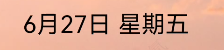
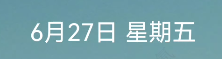
字体会自动跟随壁纸亮度切换颜色

 浙公网安备 33010602011771号