


102302106-陈昭颖-第一次作业
作业一
作业①:
1.爬取大学排名
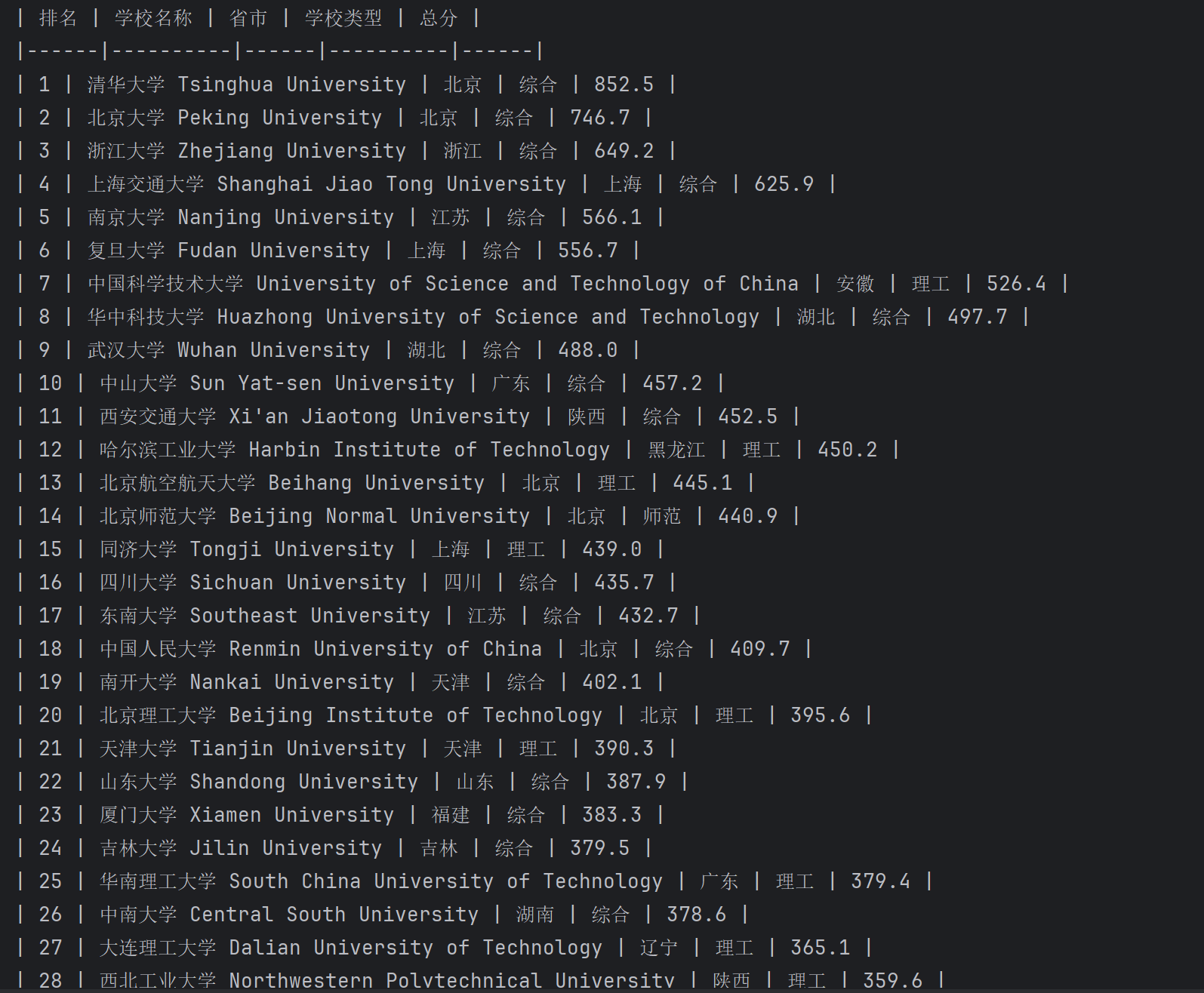
要求:用requests和BeautifulSoup库方法定向爬取给定网址(http://www.shanghairanking.cn/rankings/bcur/2020 )的数据,屏幕打印爬取的大学排名信息。
输出信息:
| 排名 | 学校名称 | 省市 | 学校类型 | 总分 |
|---|---|---|---|---|
| 1 | 清华大学 | 北京 | 综合 | 852.5 |
| 2 | ... | ... | ... | ... |
核心代码
import requests
from bs4 import BeautifulSoup

url = 'http://www.shanghairanking.cn/rankings/bcur/2020'
response = requests.get(url)
response.encoding = 'utf-8'

soup = BeautifulSoup(response.text, 'html.parser')

# 找到大学排名数据是位于class的“rk-table”的tbody里面
table = soup.find('tbody')

rows = table.find_all('tr')

print("| 排名 | 学校名称 | 省市 | 学校类型 | 总分 |")
print("|------|----------|------|----------|------|")

# 打印爬取的大学排名信息
for row in rows:
    cols = row.find_all('td')

    if len(cols) >= 5:
        # 提取各个字段
        rank = cols[0].get_text().strip()

        cn_name = cols[1].find(class_='name-cn').get_text().strip()
        en_name = cols[1].find(class_='name-en').get_text().strip()
        name = f"{cn_name} {en_name}"

        province = cols[2].get_text().strip()
        school_type = cols[3].get_text().strip()
        score = cols[4].get_text().strip()

        # 打印格式化输出
        print(f"| {rank} | {name} | {province} | {school_type} | {score} |")
实验结果
2.心得体会
这次实验是用requests和BeautifulSoup库爬取网页,
从 table 中获取到大学排名及分数等信息
相较于使用 re 库,bs4 提供了很多便利的功能,
让整个解析的逻辑得以用非常简单直觉的写法呈现。
作业②:
2.爬取商城定价商品价格
要求:用requests和re库方法设计某个商城(自已选择)商品比价定向爬虫,爬取该商城,以关键词“书包”搜索页面的数据,爬取商品名称和价格。
输出信息:
| 序号 | 价格 | 商品名 |
|---|---|---|
| 1 | 65.00 | xxx |
| 2 | ... | ... |
核心代码
import re
import pandas as pd
import requests
url = "https://search.dangdang.com"
# 获取页面
params = {'key': '书包', 'page': 1, 'pagesize': 10}
response = requests.get(url, params=params)
# response.encoding = 'utf-8'
response.encoding = 'gb2312'
html = response.text
all_pattern = re.compile(r'<span class="price_n">¥(\d+(?:\.\d+)?)</span>.+?<a title="(.+?)"')
result = list(all_pattern.finditer(html))
print(f"一共有 {len(result)} 个商品")
print("序号| 价格 | 商品名")
no = 0
for r in result:
no += 1
price, title = r.groups()
title = title.strip()
print(f" {no} | {price} | \"{title}\"")
result_df = [[r.group(2).strip(), r.group(1)] for r in result]
df = pd.DataFrame(result_df, columns=["商品名", "价格"])
df.to_html('书包.html', index=False, encoding='gb2312')
实验结果

2) 心得体会
在调研的过程中,发现很多网站有进行反爬的机制
或是因为使用了前后端分离技术,导致爬虫没办法使用 get 直接获得搜寻结果
最终我选择了当当网来作为本次实验的爬取对象
搜寻结果在单次 get 中直接返回了已渲染的内容,更方便利用正则表达检索
再经过数次精简后得出了一串可以同时批配折扣与非折扣商品名及售价的表达式
其中使用到了 .+? 的最小匹配符号来避免匹配过长的错误结果
作业③:
核心代码
import os
from urllib.parse import urljoin

import requests
from bs4 import BeautifulSoup

page_url = "https://news.fzu.edu.cn/yxfd.htm"

response = requests.get(page_url)
response.encoding = 'utf-8'

soup = BeautifulSoup(response.text, 'html.parser')

image_url = []

for img in soup.find_all('img'):
    url = img['src']

    if not url.endswith('.jpg') and not url.endswith('.jpeg') and not url.endswith('.png'):
        continue

    url = urljoin(page_url, url)
    image_url.append(url)

target_dir = 'images'
os.makedirs(target_dir, exist_ok=True)


# 'https://news.fzu.edu.cn/images/top_search.png'
def download_image(img_url, index):
    filename = img_url.split('/')[-1].split('?')[0]
    filename = f"{index}-{filename}"
    path = os.path.join(target_dir, filename)

    with open(path, 'wb') as f:
        f.write(requests.get(img_url).content)


for index, url in enumerate(image_url):
    print(index, url)
    download_image(url, index)
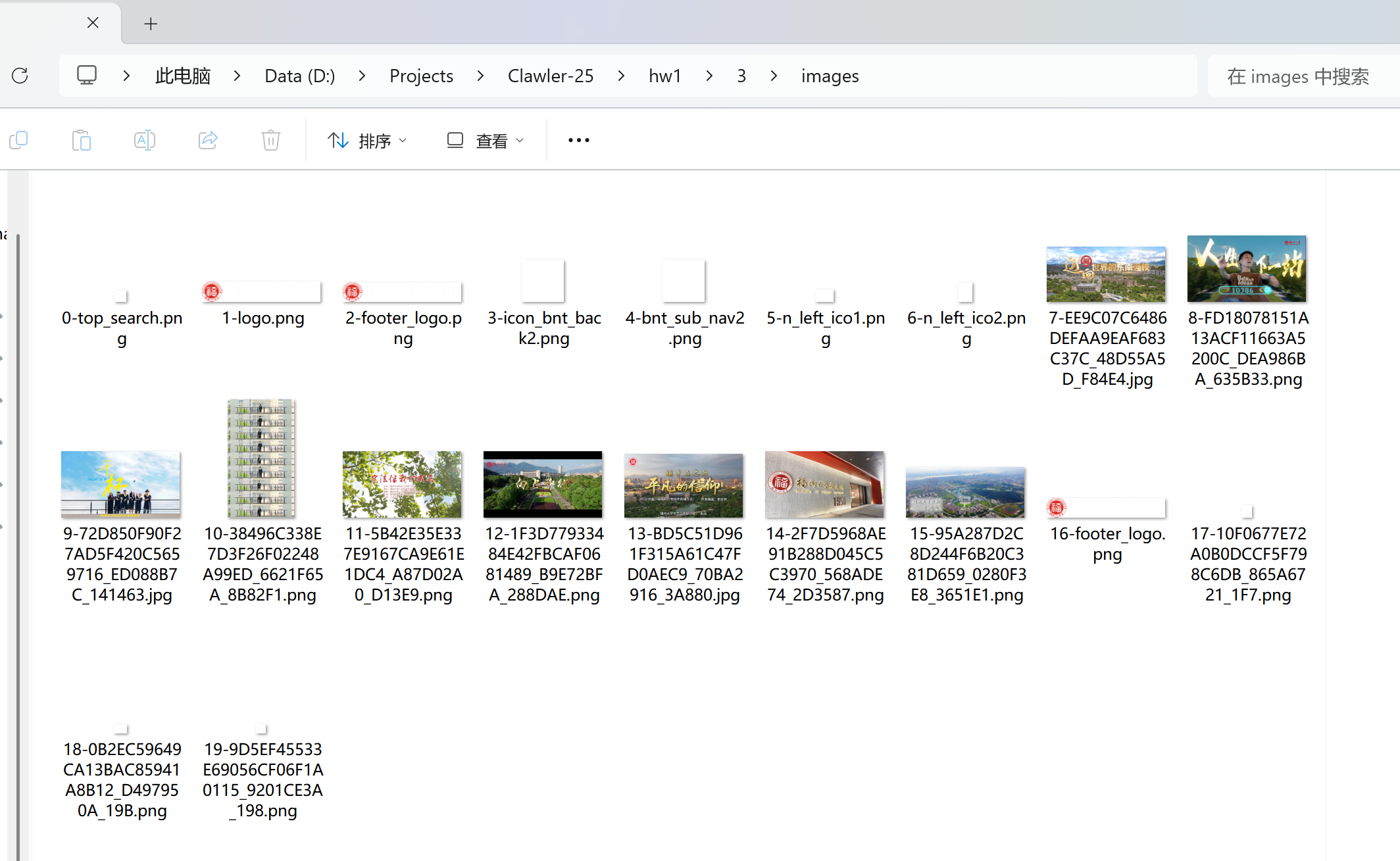
实验结果
心得体会
在开发工具中会发现我们要的图片网址会包含在img元素中
所以第一步先用 bs4 抓到所有的 img
接着再将内部包含的图片网址过滤出符合结尾是 .png, .jpg, .jpeg 的
因为这边用的是相对路径,所以需要根据当前的网址
使用 urljoin 补全完整的路径,以便让 requests 进行抓取
最后在写入档案时,将档案加入 index 前缀来避免遇到档名相同的图片相互覆盖的问题

 浙公网安备 33010602011771号